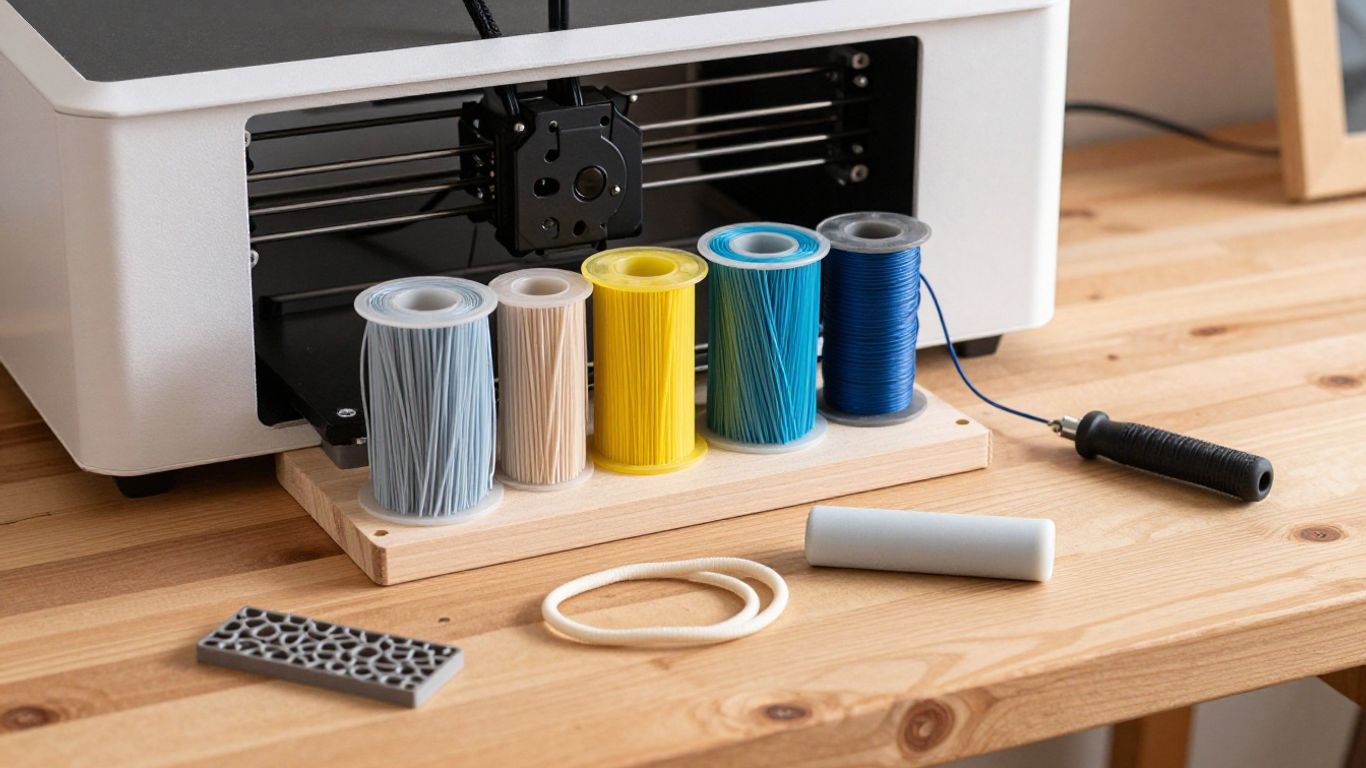
What 3D printer filament is and how it works
If you’re new to 3D printing, filament is the plastic feedstock your printer turns into an object, one thin layer at a time. The material you choose affects more than colour: it can change how a part bends, handles heat and holds up in daily use. This guide to filament types explained will help you connect those differences to practical projects around the house.
How filament becomes a printed object
In a typical fused-filament printer, a motor feeds filament into a heated nozzle, where it softens enough to be pushed through a small opening. The nozzle follows a path set by your sliced model, laying down material that cools and bonds to the layer below. Repeating that motion builds the object from the bottom up, so the print’s shape and strength depend partly on how well its layers adhere.
The filament doesn’t simply melt into a puddle; it needs to flow consistently and cool at a rate that suits the material. Too much heat or too little cooling can soften details, while poor layer bonding can leave a part weak along the joins. That’s why a material that prints beautifully in one machine may need different settings in another.
Why filament diameter and consistency matter
A printer expects filament within a particular diameter range, commonly listed on the spool or in the printer’s instructions. If the strand varies too much, the nozzle may receive more or less material than the slicer expects. You can end up with gaps, rough surfaces or excess plastic, even when the model and basic settings look right.
Consistency matters along the whole spool, not just at the loose end. A kink, tangle or damaged section can interrupt feeding, and changes in filament thickness can affect extrusion. If problems keep appearing in otherwise similar prints, check the filament path and spool before changing several settings at once.
What to check on a filament spool label
A spool label gives you a useful starting point, but it isn’t a guarantee that every printer can handle that material. Look for the polymer type, filament diameter, recommended nozzle and bed temperatures, and any notes about a heated enclosure or special nozzle. The manufacturer’s guidance is usually a better first reference than settings copied from a different brand or printer.
Also check whether the filament is a plain polymer or a blend with added fibres, particles or other materials. That detail can affect nozzle wear and the finish. Keep the label or product information handy; when a print misbehaves, it gives you something specific to compare against your slicer settings.
Common filament types and what they’re good for
The familiar materials each have a different balance of printability and performance. PLA is often a straightforward starting point, while PETG, ABS, ASA, TPU, nylon and polycarbonate suit other needs. Treat these as broad tendencies: a particular blend can behave differently, so check its own instructions before printing.
PLA for easy everyday prints
PLA is a popular choice for models, organisers, brackets and household prototypes that won’t face high heat or heavy stress. It tends to be relatively easy to print and is available in a wide range of colours and finishes. That makes it handy when you want to check the fit of a design before spending more time on a functional version.
Its main limitation is that it can soften in warm conditions and may crack rather than flex when stressed. A small drawer divider is a different job from a clip left in a hot car, even if both look simple. For low-load indoor parts, though, PLA is often a sensible place to begin.
PETG for strength and moisture resistance
PETG is often chosen when you want a functional part with more toughness than a basic PLA print. It can be useful for containers, covers and brackets that may encounter splashes or everyday knocks. It is not automatically waterproof: the print’s design, layer bonding and surface condition all matter.
PETG can also leave fine strands between parts of a print, and its first layer may stick very firmly to some surfaces. A little adjustment to temperature, retraction and bed preparation can help. Test settings on a small part first, especially if you’re printing something that needs a clean fit.
ABS and ASA for heat and outdoor use
ABS and ASA are used for parts that need to tolerate more heat than PLA typically can. ASA is commonly selected for outdoor pieces because it is designed with weather exposure in mind, while ABS is used for durable functional parts. Neither material is an automatic fit for every printer or room.
Both can warp as they cool, and printing may require a heated bed and an enclosure to reduce drafts and temperature changes. Follow the material maker’s ventilation guidance, too. If your printer is open or the space is poorly ventilated, a different material may be the more practical option.
TPU for flexible parts
TPU is a flexible filament that can make feet, bumpers, grips and protective covers. The result may feel rubbery, though the exact firmness depends on the particular filament. It can be useful when a rigid print would be too brittle or uncomfortable against another surface.
Flexible filament often needs a slower, more controlled feed than rigid materials. Long or poorly supported feed paths can make it buckle, and fast retractions may complicate extrusion. Start with a simple design and follow the spool guidance before attempting a complicated part.
Nylon and polycarbonate for demanding projects
Nylon and polycarbonate can suit demanding functional parts, but they call for more care than beginner-friendly materials. Nylon is valued for toughness and wear resistance in some applications; polycarbonate is known for strength and heat resistance. Both may need a printer capable of higher temperatures, and nylon in particular can absorb moisture from the air.
Their practical trade-offs are easier to see side by side. Exact behaviour varies by formulation, but this comparison can help you decide what to investigate first.
| Material | Often chosen for | Things to check |
|---|---|---|
| PLA | Models and low-stress indoor parts | Heat exposure and brittleness under impact |
| PETG | Functional parts needing toughness | Stringing and adhesion to the build surface |
| Nylon | Tough parts subject to wear | Moisture control and printer compatibility |
| Polycarbonate | Parts needing strength and heat resistance | Printer temperature limits and enclosure needs |
Use the comparison as a shortlist, not a final specification. If a part will carry a load or be exposed to heat, check the filament’s technical information and test a small sample before relying on it.
How to choose the right filament for your project
Start with the job the part has to do, rather than the most impressive material name on the shelf. A simple household organiser may need a neat shape and predictable printing, while a flexible foot or outdoor cover has different demands. Thinking through the actual use helps you avoid overcomplicating a small repair.
Match material properties to the part’s purpose
Ask what the part needs to withstand: bending, impact, warmth, sunlight, moisture or repeated rubbing. Then consider whether it should flex, stay rigid or provide a smooth surface. The job comes first; once you know the main requirement, you can rule out materials that are poorly suited to it.
A compact set of questions can keep the choice practical:
- Will the part be under repeated force, or mostly hold its shape?
- Could it sit near a heater, in sunlight or in a warm vehicle?
- Does it need to bend, cushion contact or grip another surface?
- Will water or damp conditions be part of its normal use?
Your answers may point towards a material, but they don’t replace design choices. Wall thickness, shape, print orientation and layer bonding all contribute to how a part performs. If the print is important to a repair, make a small test piece first and check how it behaves in the real setting.
Consider your printer’s temperature limits
A filament is only an option if your printer can reach and maintain the temperatures it needs. Check the limits for the hot end and build plate, along with any manufacturer guidance about enclosure use. A material’s recommended settings are a starting point, not a reason to push a machine beyond its rated limits.
Also consider the filament path and nozzle. Some printers handle flexible or composite materials more easily than others, and some materials call for a hardened nozzle. When the printer’s documentation is unclear, stay with a material it explicitly supports rather than assuming a temperature adjustment will solve everything.
Factor in cost, ease of printing, and finish
The cheapest spool is not always the least costly choice if it leads to repeated failed prints. A material that is easy to dial in can be a better fit for a quick household fix, while a specialist material may be worth the extra setup for a part with specific demands. Think about the time you’re willing to spend on calibration as well as the price of the filament.
Surface appearance matters too. Some filaments are sold in matte, glossy, translucent or textured finishes, and different materials show layer lines in different ways. If the part will be visible, print a small sample so you can judge colour and finish before committing to a larger object.
Choose a material based on where the part will be used
A part that lives indoors on a shelf has a different life from one left in sunlight or exposed to warm conditions. Consider the whole environment, including contact with moisture, friction and nearby heat sources. For example, a printed clip for a cool pantry shelf may not need the same material as a cover fitted near a warm appliance.
Think about exposure over time, not just how the part feels straight off the printer. If its use is uncertain, choose a conservative design, avoid relying on a print for a critical load, and test it in a low-risk setting first. A material choice can improve suitability, but it cannot make every design safe for every use.
Specialty filaments and creative effects
Specialty filaments can add texture, shine, glow or extra stiffness to a print. They’re appealing when appearance is part of the project, but additives can change how the material feeds and what kind of nozzle it needs. Before buying a spool, check both the effect you want and the practical requirements of your printer.
Wood-, metal-, and stone-filled filaments
These filaments combine a plastic base with particles intended to create a wood-like, metallic or stone-like appearance. They can give a decorative object more visual texture than a plain solid-colour print. The printed part is still a plastic-based material, so don’t assume it has the properties of solid wood, metal or stone.
The added particles can make some formulations abrasive, and a larger nozzle opening may be recommended to reduce blockages. Check the product instructions before printing and consider whether the finish is worth the extra care. For a small ornament or display piece, a test print can help you see how the texture looks at your chosen layer height.
Carbon fiber and glass fiber blends
Carbon-fibre and glass-fibre filaments are usually composite blends, with fibres added to a plastic base. They are often chosen for increased stiffness or a particular surface appearance, but the base polymer still matters. A fibre-filled PLA blend, for example, won’t automatically behave like a high-temperature engineering plastic.
Check the spool details for the base material, printer temperature requirements and nozzle guidance. Fibre-filled materials may be abrasive, so the nozzle may wear faster than it would with plain filament. The blend’s actual performance depends on its formulation and print conditions, not simply on the name of the added fibre.
Silk, glow-in-the-dark, and color-changing options
Decorative filaments can make a print stand out without changing its basic shape. Silk-style materials have a glossy look, glow-in-the-dark varieties contain glow pigments, and colour-changing options shift appearance under specified conditions. These effects are useful for ornaments, labels or visible accents, but they don’t necessarily make a part stronger.
Treat the effect as a finish choice and check the material’s printing notes. Some pigments or blends may affect flow, and a glossy surface can make layer lines more noticeable from certain angles. A small sample lets you see the actual colour and sheen before you print a larger item.
What to know before using abrasive or composite filaments
Abrasive additives can wear a standard brass nozzle, while particles or fibres can make a narrow nozzle more prone to clogging. That doesn’t mean every specialty spool needs the same equipment; follow the specific manufacturer’s advice. Check whether your printer can accept the recommended nozzle and whether the feed system is suitable for the material.
It’s also worth keeping a dedicated note of the settings that worked. If you switch between plain and composite filament, residue or nozzle wear can affect later prints. A careful test print is a small investment compared with discovering a feed problem halfway through a longer job.
Print settings that vary by filament type
There isn’t one universal set of settings for every spool, even when two materials share the same broad name. Start with the filament maker’s temperature and speed recommendations, then adjust based on your printer and the result. Change one setting at a time where possible, so you can tell what actually improved the print.
Set the right nozzle and bed temperatures
Nozzle temperature affects how easily filament flows and how well successive layers bond. The build-plate temperature influences first-layer adhesion and, for some materials, helps limit warping. Begin within the recommended range for the spool and watch for signs such as poor flow, excessive stringing or a first layer that will not stay put.
A temperature that works for one PLA or PETG spool may not be ideal for another. Printer calibration, nozzle condition and print speed also play a part. Small test prints are a calmer way to tune settings than changing several values on a full-size household part.
Adjust print speed and cooling
Speed and cooling affect how cleanly a material can form corners, bridges and small details. Flexible filament often benefits from slower, steadier feeding, while some rigid materials need enough cooling to hold shape. Too much cooling can weaken layer bonding for certain materials; too little can leave soft details or drooping features.
Use the slicer’s material profile as a starting point, then inspect the actual print. If fine strands appear, review temperature and retraction alongside travel paths. If layers look weak or details sag, change only the relevant settings and test again rather than treating speed as the sole cause.
Use the right build surface and enclosure
Build surfaces differ in how strongly they hold a first layer, and materials can react differently to each one. Clean the surface and follow its care instructions before changing temperatures or adhesives. A reliable first layer is easier to achieve when the bed is level and the nozzle is set to the correct distance from it.
An enclosure can help reduce drafts and temperature swings for materials prone to warping, but it isn’t required for every filament. Check your printer and material guidance before enclosing a machine, especially where ventilation is relevant. Choose the setup that suits both the material and the space where you print.
Manage stringing, warping, and layer adhesion
Stringing, lifted corners and weak layers have different causes, so it helps to identify the symptom before adjusting settings. Stringing can relate to temperature, retraction or filament condition; warping may point to uneven cooling or poor bed adhesion. Weak layer bonds can be linked to temperature, speed, material or even a damp spool.
Keep a short record when you tune a new material: note the spool, settings and what changed in the result. That gives you a useful baseline the next time you print the same part. If a problem persists, return to the material maker’s recommendations and check the printer mechanically before making larger adjustments.
Storing filament and solving common problems
Filament can be affected by moisture, dust, tangles and age, though different materials respond differently. Good storage helps keep a spool ready for the next repair and makes troubleshooting less of a guessing game. If a print suddenly changes, check the material and the machine before assuming the model is at fault.
Keep moisture-sensitive materials dry
Some materials, including nylon, readily absorb moisture from the air; other filaments can also benefit from dry storage. Keep spools sealed when they’re not in use, and use a suitable dry-storage method that protects them from humidity and dust. Follow the filament maker’s instructions for drying, since temperature and handling requirements vary.
Avoid sealing away a spool that is already damp and assuming it will become dry inside the container. If the material needs drying, use a method intended for filament and stay within the manufacturer’s guidance. A tidy storage setup also helps prevent loose ends from tangling around the spool.
Spot signs of wet or degraded filament
A spool that has absorbed moisture may pop or sizzle as it prints, produce rough surfaces or create more stringing than usual. Those signs can have other causes, so treat them as clues rather than proof. Compare with a known-good spool or check the filament’s storage history before changing several printer settings.
Filament that is brittle, tangled or visibly damaged can also feed unreliably. Check that it unwinds smoothly and that the strand isn’t caught under another loop. If the material has been stored poorly for a long time, consult the maker’s advice about drying or replacing it rather than expecting a slicer adjustment to fix it.
Reduce warping and improve bed adhesion
A lifted corner can spoil a useful print, especially when the part has a broad, flat base. Make sure the build surface is clean and level, and confirm that the first layer is being laid down properly. For materials prone to warping, reducing drafts and following enclosure guidance may help keep cooling more even.
The model itself can contribute to the problem. Sharp corners and a large footprint may lift more readily than a design with rounded corners or a suitable brim. Try one change at a time and test a small version first, so you can see whether the improvement came from bed preparation, the design or the print environment.
Handle jams and worn nozzles caused by abrasive filament
If extrusion becomes uneven after using a fibre- or particle-filled filament, check for a partial clog and inspect the nozzle for wear. Abrasive materials can wear some nozzle types more quickly, while particles can obstruct a small opening. Follow your printer’s maintenance instructions rather than forcing filament through a jam.
Before the next print, confirm that the nozzle suits the filament and that the feed path is clear. If you switch back to a plain material, remove any residue according to the printer maker’s procedure. Keeping notes about abrasive spools and nozzle changes can make future troubleshooting quicker.
Conclusion
Choosing a filament gets easier when you start with the part’s job, the conditions it will face and the limits of your printer. Begin with a material that suits those needs, use the spool’s guidance as your baseline, and test before relying on a print for a household fix. A little patience with storage and settings can save plenty of trial and error.
Frequently Asked Questions
Which 3D printer filament is easiest for beginners?
PLA is often a practical first choice because it is generally straightforward to print. Check that the spool is compatible with your printer, and use the manufacturer’s recommended settings as a starting point.
Is PETG waterproof?
Not necessarily. PETG may resist moisture better than some materials, but a printed part can still leak through seams or layer gaps, depending on its design and print quality.
Can I use PLA for parts that get hot?
PLA can soften in warm conditions, so it may not suit a part exposed to significant heat. Check the material information and consider where the object will be used before choosing it.
What filament should I use for a flexible part?
TPU is a common choice for flexible prints such as grips or bumpers. Its firmness varies, and it may need slower, more controlled feeding than rigid filament.
Why does my filament keep snapping?
A brittle or poorly stored spool, a tangle, or a feeding problem can contribute to snapping. Check the material’s condition and spool path, and follow the maker’s guidance for storage and drying.
Do specialty filaments need a different nozzle?
Some fibre- or particle-filled filaments can be abrasive or more prone to clogging, so they may require a different nozzle. Check the specific spool instructions and your printer’s compatibility before printing.
How should I store an open filament spool?
Keep it sealed from humidity and dust when it isn’t in use, especially if the material is moisture-sensitive. Follow the manufacturer’s advice for any drying or storage equipment you use.